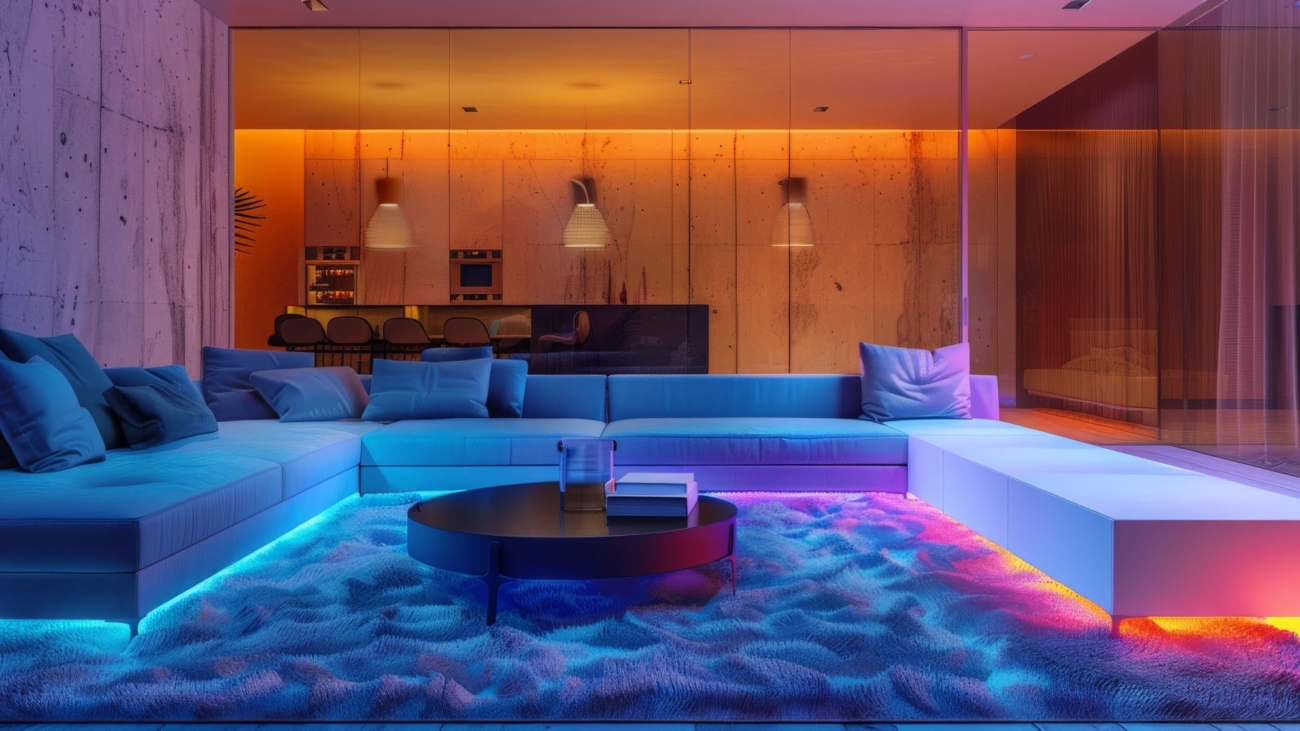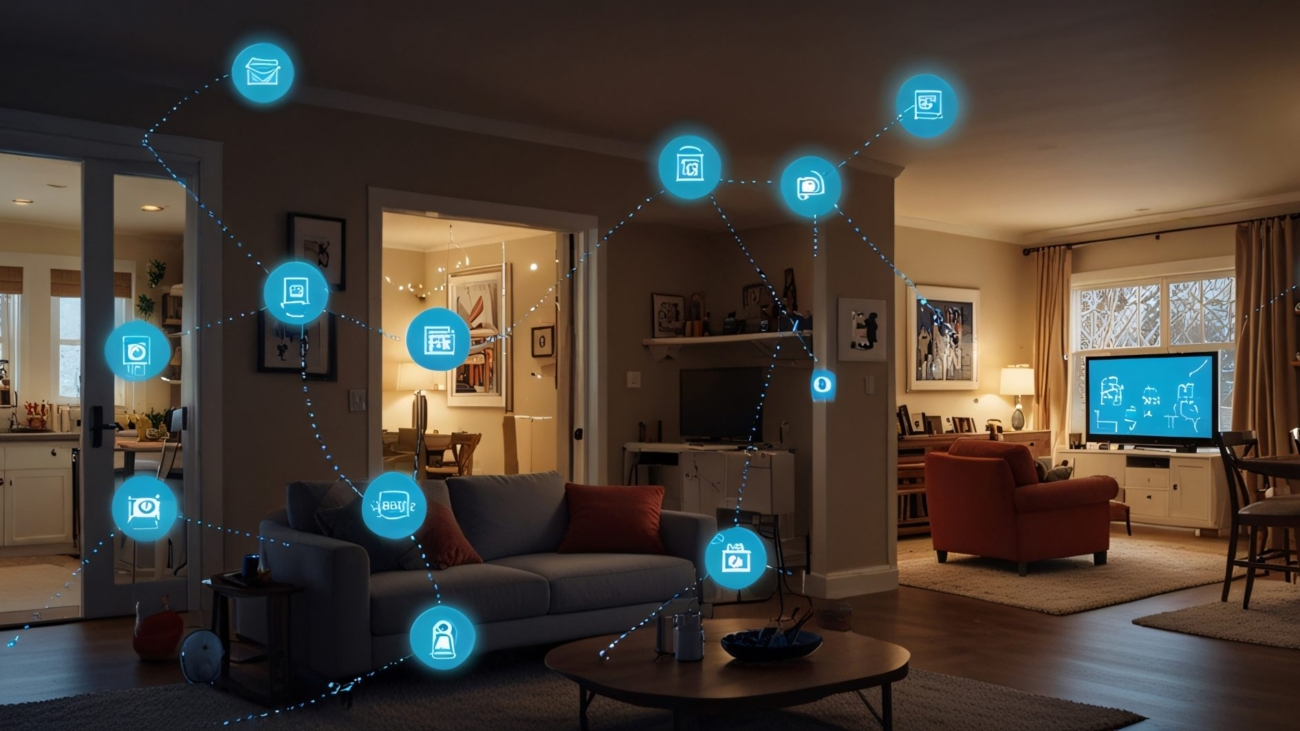
The Hidden Mood of a Home: Why Some Spaces Instantly Feel Right

We believe a truly great home does more than look beautiful—it feels beautiful. The way sunlight streams through a window, the path you take from kitchen to living room, even the subtle way sound moves through the air: every detail shapes your comfort and mood. Together, these elements influence how you experience daily life.

This connection between our surroundings and our well-being is known as the psychology of space. It’s where architecture, design, and human emotion intersect. When these elements work in harmony, a home becomes more than shelter—it becomes a sanctuary that restores, inspires, and welcomes you every day.

In this guide, we’ll explore the design principles that make certain spaces feel effortlessly better than others—from lighting and layout to acoustics and materials. You’ll see how small, thoughtful choices can have a powerful emotional impact, and how Sebring Design Build uses these insights to craft homes that feel intuitive, balanced, and alive.

Because a well-designed home isn’t just seen. It’s felt.

1. Why Some Homes Just Feel Better

Comfort isn’t only about furniture or finishes—it’s about how a space engages your senses, supports daily life, and subtly shapes your mood.

Environmental psychologists have long proven that our surroundings affect stress, focus, and overall happiness. Homes that feel calm and intuitive make us feel grounded, while disorganized or harshly lit spaces create subtle unease—even if we can’t explain why.

At Sebring Design Build, every layout, lighting plan, and material choice is guided by how it will feel to live in the home—from movement and function to relaxation and everyday comfort.

2. Lighting: The Ultimate Mood Shaper

Harnessing Natural Light
Daylight is one of the most powerful tools in design. It regulates sleep, lifts spirits, and improves focus. Homes that maximize sunlight naturally feel open, fresh, and alive. Strategic window placement, skylights, and glass doors bring light deep into your home. Even small touches, like transoms or reflective surfaces, can dramatically brighten a room.

Layered Lighting for Real Life
Lighting isn’t just about brightness—it’s about flexibility. A home that works for life combines:

  • Ambient lighting for general illumination
  • Task lighting for functional spaces like kitchens and offices
  • Accent lighting to highlight features or art

This layered approach ensures every activity—cooking, reading, relaxing—feels effortless. A dimmer switch or warmer bulb instantly changes the mood to match your day.

Color Temperature Matters
Warm light (2700–3000K) creates coziness and intimacy. Cooler light (4000K+) energizes and sharpens focus. By mixing temperatures thoughtfully, lighting can mimic natural patterns: bright and alert in the morning, soft and calming at night.

3. Flow and Layout: The Art of Movement

Some homes feel natural to move through, while others make you stop and adjust at every turn. That’s the power of flow.

Creating Seamless Movement
A home with good flow guides you effortlessly from entry to kitchen to living spaces. Poorly planned layouts—narrow halls, awkward door swings, dead-end corridors—create subtle stress, even if you don’t consciously notice it.

Balancing Connection and Privacy
Open plans foster togetherness, but families also need private retreats. Achieving balance can be as simple as subtle transitions: changes in ceiling height, flooring materials, or furniture placement that guide movement naturally.

Scale and Proportion
Comfort exists in proportion. Rooms too large feel impersonal; too small feel cramped. Sebring Design Build designs spaces at a human scale—generous enough to breathe, intimate enough to feel personal.

Flow That Matches Your Life
We map how you move through your day—morning routines, family meals, evening relaxation—so the layout supports your lifestyle. When your home moves with you, life feels smoother.

4. Acoustics: The Sound of Comfort

What you hear matters as much as what you see. Noise—from traffic, appliances, or open layouts—can subtly raise stress levels. Thoughtful acoustic design creates calm and balance.

Materials That Shape Sound
Hard surfaces reflect sound; soft surfaces absorb it. Area rugs, drapes, upholstered furniture, and textured walls all contribute to harmony.

Zoning Sound
Quiet areas like bedrooms and home offices benefit from buffers—closets, hallways, cabinetry—between them and social spaces. Good acoustics aren’t immediately obvious, but your body notices.

5. Materials, Texture, and Sensory Balance

The Touch Factor
Design engages touch as much as sight. Smooth countertops, soft textiles, and warm wood underfoot provide subtle daily comfort. Natural materials feel inherently “right.”

Bringing Nature Indoors
Biophilic design—wood, stone, plants, daylight—lowers stress and boosts contentment. Sebring homes weave natural textures and views into everyday life, connecting interior spaces with the outdoors.

The Role of Color
Color shapes emotion. Warm tones invite intimacy; cool tones soothe. Neutrals balance visual noise and enhance spaciousness. At Sebring, color palettes are chosen to influence mood as much as style.

6. When Design Elements Work Together

Lighting, flow, acoustics, and materials each play a role—but it’s their combination that makes a home feel alive. A bright living room can feel harsh if acoustics are off. A cozy bedroom may feel stifling without the right lighting. Comfort comes from harmony, not individual elements.

7. Real-Life Examples

Morning in the Kitchen
Sunlight streams through a well-placed window, the coffee station flows naturally to the patio, and the space feels effortlessly calm.

Evening Gatherings
Layered lighting, controlled acoustics, and an open layout make social spaces welcoming without feeling crowded.

Quiet Nights in the Bedroom
Soft lighting, subtle sound control, and warm textures create a refuge for rest and relaxation.

8. Simple Ways to Make Your Home Feel Better

Even small changes can transform comfort:

  • Let in more natural light: swap heavy drapes for sheers, add mirrors, open sightlines.
  • Layer lighting: combine ceiling fixtures, lamps, and task lights for flexibility.
  • Rethink flow: clear pathways, reduce bottlenecks, and make daily tasks easier.
  • Soften sound: add rugs, curtains, or panels to absorb echo.
  • Introduce nature: plants, wood accents, natural fibers.
  • Mix textures and colors: calming hues for quiet zones, energizing tones for social areas.
  • Personalize: spaces that reflect your personality always feel warmer.

9. How Sebring Design Build Crafts Homes That Feel Right

We design experiences, not just spaces. Every project begins with understanding your lifestyle, values, and how you want your home to feel.

Our Approach:

  • Listen first: Learn how you live and what brings comfort.
  • Design holistically: Consider lighting, flow, acoustics, and materials together.
  • Build with care: Ensure every design decision translates seamlessly from drawing to reality.
  • Fine-tune details: Adjust lighting, sound, and proportion until the space feels perfect.

The result? Homes that look stunning, function effortlessly, and—most importantly—feel incredible to live in.

10. Why It Matters

A well-designed home shapes your mood, energy, and even relationships. When a space supports you physically, emotionally, and visually, life simply flows easier.

If you’ve ever said, “I can’t explain it, but this house just feels right,” now you know why. It’s design that respects human experience: light that flatters, flow that makes sense, acoustics that calm, and materials that feel alive.

A home that feels good doesn’t happen by chance—it’s intentionally crafted. At Sebring Design Build, we merge the science of space with the art of craftsmanship, creating homes where families gather more, mornings feel smoother, and quiet moments truly restore.

Ready to live in a home that looks beautiful and feels right? Our team is here to help—whether it’s a single room remodel or a full custom build. Every detail, every layout, every light switch is tuned to you.

Let’s design a home that moves with you, restores you, and reflects who you are. Contact Sebring Design Build today to start your journey.

Mastering the Glow: A Modern Guide to Layered Lighting in Every Remodel

Layered Lighting: How to Make Every Room Glow

Most homes rely on a single ceiling fixture, often mounted in the center of the room. While it technically illuminates the space, that one light can flatten everything. It creates glare beneath the bulb, casts shadows in corners, and gives the room a harsh, unflattering feel—like a photo taken with a camera flash: bright enough to see, but not easy on the eyes.

Layered lighting solves this problem by combining multiple sources at different heights, intensities, and locations. Instead of one harsh wash of light, a room gains depth and dimension. Some areas feel bright and energized, while others glow softly. Architectural features, textures, and finishes stand out, and shadows become part of the design rather than a nuisance. The result is a space that not only looks better but works better for everyday life.

Lighting layers matter because they shape how people experience a room. With the right approach, a space can feel vibrant in the morning, practical in the afternoon, and cozy at night. Good lighting makes daily tasks easier, highlights the design details that make a remodel special, and sets moods that match real living. It is both functional and emotional, and mastering it elevates any home.

Ambient Lighting: The Foundation

Ambient light is the base layer—it sets the overall tone and ensures the space is comfortably lit. This is not about highlighting anything in particular; it’s about creating an even glow that makes a room livable.

Common sources include ceiling-mounted fixtures, recessed lights, track lighting, and wall sconces that bounce light across the room. In traditional spaces, a chandelier may serve as the central source, while contemporary designs often rely on grids of recessed LEDs.

Coverage matters. A single fixture creates shadows and uneven brightness, while multiple sources or distributed lighting ensures every corner is lit. Dimmers add flexibility, letting homeowners shift from bright functionality to soft evening ambiance.

Task Lighting: Focused Function

Task lighting is about precision—illuminating the spots where work happens. In kitchens, under-cabinet LEDs brighten counters, preventing shadows while chopping or prepping. Pendants over islands or sinks focus light exactly where it’s needed. In bathrooms, vertical sconces flanking mirrors eliminate harsh shadows on the face. Reading lamps and desk lights in living rooms and offices make detailed tasks easier and safer.

Placement is crucial. Vanity lights only above a mirror can create unflattering shadows, while flanking fixtures provide balance. Pendant height over an island affects both function and comfort. Designing task lighting around real-life use ensures it is truly helpful, not just decorative.

Accent Lighting: Highlight and Drama

Accent lighting is where artistry comes in. It draws attention to features, adds depth, and creates visual interest. Spotlights on artwork, LED strips in glass cabinets, or uplights behind furniture emphasize textures, colors, and design details.

For accent lighting to be effective, it needs contrast—typically three times brighter than the surrounding light. Restraint is key; highlight a few focal points, not every surface. A fireplace, sculpture, textured wall, or freestanding tub can all benefit from a well-placed accent, turning a good remodel into something memorable.

Natural Light: The Ultimate Layer

Daylight is the wild card in any lighting plan. It shifts throughout the day, connects indoor and outdoor spaces, and adds unmatched warmth. Window placement, skylights, and clerestory windows are critical to harness natural light. Reflective surfaces, mirrors, and light finishes help it reach further into the room, while sheer shades or layered drapery control glare and privacy.

Designing with natural light in mind not only enhances aesthetics but also improves energy efficiency. A well-placed kitchen window, for example, can reduce the need for artificial lighting during the day, keeping the space fresh and inviting.

Combining Layers: How It All Works

The best lighting plans blend ambient, task, accent, and natural light into a cohesive whole. Think of it as a pyramid: ambient light forms the base, task lighting provides function, accent adds artistry, and daylight crowns the structure. Each layer plays a role, but together they transform both the look and feel of a home.

Room-specific strategies vary:

  • Kitchens: Recessed ambient lights, under-cabinet task strips, accent lights on backsplashes or cabinetry, skylights for daylight.
  • Bathrooms: Vanity task lights, ambient ceiling fixtures, accent spotlights over a tub or shower.
  • Living Rooms: Recessed lights, chandeliers, floor and table lamps, accent fixtures for artwork or architectural details.
  • Bedrooms: Ambient ceiling lights, bedside lamps for reading, subtle accent lighting, natural light for daytime.
  • Home Offices: Task lighting is critical to reduce screen glare, supplemented by ambient and accent layers. Daylight improves productivity and mood.

Technical Details Matter

  • Color Temperature: Warm light (2700K–3000K) feels cozy; neutral (3500K–4000K) works well for kitchens and offices; daylight (5000K–6500K) mimics sunlight but can feel stark if overused.
  • Brightness: Measured in lumens. Living rooms need 10–20 per sq. ft., kitchens 30–40, and bathrooms 70–80 near mirrors. Dimmers provide flexible brightness.
  • LEDs & Smart Lighting: Energy-efficient, long-lasting, and versatile. Smart systems let homeowners control layers, schedules, and scenes, adding convenience and modern appeal.

Common Mistakes

  • Overlighting, creating glare.
  • Ignoring shadows that interfere with tasks.
  • Relying on only one type of light, making rooms flat.
  • Choosing the wrong bulb temperature, producing sterile or harsh effects.
  • Skipping dimmers, losing flexibility in brightness.

Final Thoughts

Lighting is more than utility—it shapes mood, function, and perception. Layered lighting transforms spaces from merely lit to beautifully illuminated. It enhances finishes, textures, colors, and the overall design, making a remodel feel intentional and inviting.

A well-planned lighting scheme doesn’t draw attention to itself. Instead, it highlights everything else, turning a home into a place that feels dynamic, comfortable, and alive at every hour.

Gadgets That Wow: Top Tech Gifts for DIY Enthusiasts and Smart Home Fans

If you’re shopping for someone who loves tinkering, automating, or simply making life smarter, you’ve come to the right place. This is my curated list of favorite tech gifts for the year — a mix of practical tools, smart gadgets, and a few indulgent splurges that will make any tech lover smile.

Already familiar with your recipient’s setup? Try the HomeTechHacker Technology Advisor for personalized gift ideas. And before you start shopping, check out my guides on online shopping tools and cybersecurity tips to make sure your holiday purchases are safe. A few precautions now can save money and protect your data later.

This page contains affiliate links. If you purchase an item through a link, I may earn a small commission at no additional cost to you. Affiliates do not influence my recommendations. Read my disclosures for details.

Top Tech Gifts for Smart Home Fans and DIYers

Echo Show 8 (3rd Gen) — Alexa’s latest display is sharper, faster, and doubles as a central hub for your smart home. Ideal for kitchens, family rooms, or anywhere you want quick access to music, video calls, and device control.

SwitchBot K10+ Pro Mini Robot Vacuum — Compact, quiet, and surprisingly capable, this self-emptying robot vacuum tackles every corner of your home with ease. Perfect for anyone who loves hands-free cleaning.

TP-Link Kasa Smart Plug Power Strip HS300 — Six individually controllable outlets plus built-in power monitoring. Perfect for charging stations, entertainment setups, or home offices.

Philips Hue Smart Bulb Starter Kit — One of the most versatile smart-lighting ecosystems. Set moods, automate routines, or just add a splash of color to any room.

Brilliant Smart Home Control Panel — A sleek wall-mounted touchscreen for controlling lights, locks, and scenes. Elegant, intuitive, and perfect for anyone upgrading their smart home experience.

Wyze Cam OG Security Camera — Compact, weather-resistant, and easy to automate. A reliable way to keep an eye on your home without breaking the bank.

Raspberry Pi 5 Starter Kit — Ideal for tinkerers, DIYers, and anyone looking to build a home server or automation hub.

Shelly Plus Smart Plug — A compact, power-monitoring plug with excellent Home Assistant support. Automate lights, heaters, and appliances with ease.

Beelink EQi13 PRO Mini PC — My go-to mini PC for Proxmox, Plex, or local Home Assistant installs. Compact, quiet, and surprisingly powerful.

SwitchBot Meter Pro CO₂ Sensor — Monitors temperature, humidity, and air quality. A practical gift for anyone who cares about their indoor environment.

KAIWEETS Digital Multimeter — A must-have tool for DIYers. Measures voltage, current, resistance, and more with precision.

WLED-Compatible LED Strip Kit — Perfect for accent lighting or creative DIY projects. Transform any space with colorful, dynamic LED displays.

Pebblebee Clip Rechargeable Bluetooth Tracker — Keeps track of keys, bags, and more, working with both iOS and Android.

HP Color LaserJet Pro MFP 3301sdw — Reliable, fast, and perfect for home offices. A workhorse that delivers professional-quality prints.

Monarch Money Premium Subscription — Automates personal finance tracking and budgeting with ease.

Google TV Streamer 4K — A compact powerhouse for streaming entertainment, complete with voice control and smart home integration.

Anker 3-in-1 Cube with MagSafe — Sleek charging for iPhone, AirPods, and Apple Watch — keeps desks and travel bags clutter-free.

iRobot Roomba Combo j9+ — Premium robot vacuum and mop with automatic dirt disposal and smart mapping.

Samsung Freestyle 2nd Gen Portable Projector — A palm-sized projector that turns any wall into a movie screen.

EcoFlow Delta 2 Portable Power Station — Backup power for projects, outdoor work, or emergencies.

LG UltraFine 5K Monitor — Gorgeous display for creatives and tech enthusiasts alike.

Livtab LT90 Pro Smart Table — A smart coffee table with built-in fridge drawers, Bluetooth speakers, LED lighting, and wireless charging — functional and fun.

Tech Books That Empower

Books are timeless gifts, and the right tech book can make someone smarter, safer, and more efficient:

  • Life by Design — Reclaim your time and focus by using technology intentionally.
  • The Personal Cybersecurity Manual — Step-by-step guidance for protecting your digital life.
  • The Home Network Manual — Everything needed to build a fast, secure, and reliable network.
  • The Smart Home Manual — Blueprint for creating a smart home that truly works.

Signed copies or bundle deals are available if you want to make your gift extra special.

The best tech gifts don’t just impress — they empower. From robot vacuums and smart switches to practical books and DIY kits, thoughtful tech makes life smoother, more convenient, and a little more fun.

For even more inspiration, check out my previous list: 8 Gifts for Tech Lovers in Your Life.

Serene Spaces: How Smart Layouts and Lighting Bring Calm to Your Home

Designing for Everyday Calm: How Layout and Lighting Transform Your Home and Your Mind

Most people can sense the difference between a room that feels peaceful and one that feels overwhelming, even if they cannot articulate why. You step inside, and something shifts in your body. Shoulders soften, breath deepens, and an almost imperceptible feeling of ease settles over you. The space feels intuitive, like it understands you. That sensation is not a matter of chance or personal temperament—it is the result of intentional design choices that shape your emotional experience every single day.

In today’s fast-paced world, the home has become more important than ever. It is where you recover from demanding workdays, find balance after hectic mornings, and carve out moments of quiet amid busy schedules. Yet, many homes unintentionally add stress instead of alleviating it. Rooms that are cluttered, dimly lit, cramped, or poorly arranged can keep your nervous system on high alert long after you step through the door.

Calm design flips that script. By prioritizing thoughtful layout and lighting, you can transform your home into an environment that supports your well-being rather than competing with it. Flow, visibility, natural light, and layered illumination all influence how your nervous system responds to a space. When these elements are in harmony, they create a home that feels grounded, supportive, and truly restorative.

At Sebring Design Build, we believe that good design should enhance life, not just aesthetics. This article explores how layout and lighting reduce stress, why they matter, and how intentional changes—even subtle ones—can dramatically transform the way you experience your home.

Why Calm Design Matters More Than Ever

Modern life rarely slows down. People move from task to task without pause. Phones buzz, deadlines loom, and even leisure time is filled with obligations. As a result, many of us exist in a constant, low-grade state of tension without fully realizing it. When that stress comes home with you, even minor irritations can feel amplified.

Research consistently shows that physical environments affect mental health. Clutter contributes to anxiety and elevated cortisol levels. Dim or inconsistent lighting can disrupt sleep patterns and sap energy. Confusing layouts turn everyday tasks into small, repeated struggles. These factors often operate quietly in the background, yet their impact on mood and overall well-being is very real.

A calm home works in the opposite direction. It allows your body to relax. It smooths daily transitions. It frees mental space and creates pockets of clarity in the midst of life’s chaos. By intentionally designing your home with calm in mind, you can reclaim moments of ease that influence your entire day.

Layout: The Invisible Force That Shapes Emotion

Many people view layout as purely practical: how furniture fits, how far you must walk across a room, or how pieces relate to one another. But layout is emotional as well. It guides the eyes, the body, and the mind. A thoughtfully designed layout lowers stress by creating order, predictability, and comfort.

Flow is the first aspect of layout that impacts mood. Flow is the ease with which you move from one area to another. When pathways are clear and transitions logical, your body relaxes naturally. When furniture blocks movement or rooms require zigzagging to navigate, micro-moments of tension accumulate. Over time, these small stresses shape the overall feeling of a home. A kitchen arranged in an intuitive work triangle or a living room with a clear path allows you to move freely and feel more at ease.

Zoning adds clarity and emotional calm. In a well-zoned home, each area communicates its purpose: a workspace signals focus, a reading nook invites quiet, a dining area encourages connection, and a drop zone catches clutter before it spreads. This intentional separation allows your mind to shift gears more easily and reduces the feeling of being pulled in multiple directions at once.

Visual noise is another hidden stressor. Our brains process everything in our field of vision, and when shelves overflow, countertops hold random items, or patterns clash, mental effort rises. Reducing visual clutter is not just about aesthetics—it directly lowers cognitive load, helping a room feel calmer even without major renovations.

Comfort and reach further influence your emotional experience. Furniture that fits your body, storage at natural heights, and pathways that require minimal effort all create a sense of predictability and safety. Conversely, spaces that demand awkward movements, constant bending, or navigating tight spots add unconscious tension. A comfortable layout allows the body—and therefore the mind—to relax.

Together, these layout elements—flow, zoning, visual clarity, and comfort—create a foundation for emotional stability. A home designed for ease feels intuitive to live in, almost as if it anticipates your needs.

Lighting: The Silent Mood Influencer

Lighting has the power to transform a space immediately. It influences both physiology and emotion. Harsh light can make a room feel tense, while dim lighting at the wrong time can sap energy. Balanced, layered lighting supports your natural rhythms and enhances how you experience each room throughout the day.

Natural light is the backbone of calm design. Sunlight helps regulate sleep cycles, boosts serotonin production, and influences alertness. Rooms with ample daylight feel uplifting, spacious, and energizing. Even homes with limited sunlight can improve brightness with sheer window treatments, reflective surfaces, and lighter paint colors. Daylight-mimicking bulbs can supplement natural light, supporting healthy rhythms indoors.

Layered lighting adds depth and flexibility. No single fixture can meet every need. Ambient light sets overall brightness, task lighting focuses on work surfaces, accent lighting highlights art or architectural features, and decorative lighting adds personality. These layers balance the eye’s perception, reducing strain and enhancing comfort.

Color temperature also plays a psychological role. Warm lighting soothes the nervous system, making bedrooms, living areas, and dining rooms feel inviting and restful. Cooler tones promote focus and clarity, ideal for kitchens, offices, or hobby spaces. Paired with dimmers, lighting becomes an emotional cue—bright and energizing when needed, soft and calming in the evening.

By thoughtfully integrating natural light, layered fixtures, and adjustable tones, your home becomes a dynamic environment that supports mood and rhythm effortlessly.

When Layout and Lighting Work in Harmony

The most profound effects occur when layout and lighting function as a system. A bedroom with clear pathways and warm low light becomes a sanctuary. A kitchen with efficient flow and targeted task lighting makes mornings smoother. A living room arranged for conversation, complemented by layered lighting, becomes a grounding space for family connection.

Layout sets the physical tone, and lighting sets the emotional tone. Together, they create spaces that feel intuitive, relaxing, and supportive—without drawing attention to the design choices themselves.

Small Changes, Big Impact

Creating calm doesn’t always require a full renovation. Small adjustments often yield significant improvements:

  • Remove or reposition oversized furniture to open pathways.
  • Rearrange seating to enhance flow and social interaction.
  • Add a lamp or replace harsh bulbs with warmer tones.
  • Use mirrors to reflect natural light into dim areas.
  • Reduce visual clutter on shelves and countertops.

Intentional, small changes can shift the emotional energy of a space dramatically, proving that calm design is about thoughtfulness, not perfection.

How Intentional Design Creates Everyday Calm

A calm home is built, not accidental. Layout and lighting operate quietly in the background but shape your daily experience. They influence movement, focus, mood, and energy. When the home flows intuitively and lighting supports natural rhythms, stress eases, clarity emerges, and your environment begins to restore rather than drain.

Kitchens become manageable, bedrooms invite deep rest, and living spaces offer a true pause in the middle of life’s pace. These improvements are not purely aesthetic—they enhance how you live. Intentional design gives you a home that supports your emotional well-being and allows you to show up fully in your life.

At Sebring Design Build, we help homeowners create homes that reflect this philosophy. From layout to lighting, every choice is deliberate, ensuring spaces that nurture calm, clarity, and comfort. If you’re ready to transform your home into a sanctuary that supports your everyday life, our team is here to guide you. Together, we can create a space where calm isn’t just a feeling—it’s built into the way you live.

Household Cybersecurity in 10 Minutes: Quick Checkup for Peace of Mind

Most of us lock our doors and maybe even set up a home alarm, but in today’s connected world, protecting your home goes far beyond physical security. Your digital life is just as important—and just as vulnerable. Hackers and scammers don’t care if you live on a quiet street or think, “I don’t have anything worth stealing.” If you’re online, you’re a target.

The stakes are high. Cybercriminals can drain your bank account, steal your identity, hijack smart devices, or lock you out of your own data. Families with kids are particularly at risk, as children’s identities are highly valuable on the black market. Even something as simple as using an outdated or reused password can hand someone the keys to your entire digital life.

The good news? You don’t need hours of technical knowledge to start protecting yourself. In just ten minutes, you can run a simple cybersecurity checkup that adds a powerful layer of protection for your household.

This page contains affiliate links. If you make a purchase using one, I may earn a small commission at no extra cost to you. Affiliates do not influence my recommendations. See my disclosures for details.

1. Lock the Digital Front Door: Secure Your Router

Your router is the gateway to your home network—if it’s vulnerable, everything else is too. Take a few minutes to:

  • Change default credentials: Stop using the username/password that came with your router. Hackers actively scan for devices with unchanged defaults.
  • Use modern encryption: Set Wi-Fi to WPA3 if possible, or WPA2 at minimum.
  • Update firmware: Old firmware often has unpatched vulnerabilities. Check your router’s admin page for updates.
  • Review connected devices: Many routers let you see every device on your network. Scan for unfamiliar devices—maybe that old smart plug or a neighbor who guessed your password.

For step-by-step guidance, see The Home Network Manual or our article Cybersecurity Awareness: Protecting Your Home Network.

2. Keep Everything Up to Date

From laptops and phones to smart thermostats and doorbell cameras, every device runs software—and outdated software is an easy entry point for attackers.

  • Run updates now: Install any pending updates on your major devices.
  • Enable automatic updates: This saves you from having to remember.
  • Don’t forget smart devices: Many smart gadgets have their own apps where firmware updates can be checked and applied.

Even though it’s tedious, keeping software current is one of the simplest ways to stay safe.

3. Fix Weak or Reused Passwords

Passwords remain the #1 cause of hacked accounts. A few minutes here can prevent big headaches later:

  • Use a password manager: Keep strong, unique passwords for every account effortlessly.
  • Rotate critical passwords: Banking, email, and cloud storage accounts should never share the same password.
  • Enable two-factor authentication (2FA): Use an authenticator app, SMS, or (even better) a hardware key. 2FA dramatically reduces the risk of stolen credentials.

Also, double-check your account recovery options. If your recovery email or phone number is outdated, someone could hijack your account.

4. Protect Smart Gadgets

Convenient smart devices can also be entry points for attackers. Quick steps to secure them:

  • Change default passwords (yes, even for inexpensive smart plugs).
  • Isolate IoT devices: Use a separate “guest” Wi-Fi network for smart home gadgets.
  • Disable unused features: If your camera has remote access you don’t need, turn it off.

For a more in-depth guide, see 7 Steps to Secure Your Smart Home Before Holiday Travel.

5. Educate Your Household

Even the best tech security can fail if someone clicks the wrong link. Teach your household to:

  • Avoid clicking links in suspicious emails, even if they appear legitimate.
  • Be cautious with urgent requests—scammers often pressure you to act fast.
  • Verify before sharing sensitive information—call the company directly if unsure.

Cybersecurity is as much about mindset as it is technology. For more, check out The Psychology of Cybersecurity.

6. Check for Compromised Accounts

Your accounts might already be at risk without your knowledge:

  • Visit HaveIBeenPwned.com and enter your email.
  • If it appears in breaches, change that password immediately and anywhere else you reused it.

To understand what happens with stolen data, see The Dark Web Unveiled.

7. Backup & Recovery

Even a strong security setup is useless if you lose your data. Take these steps:

  • Verify backups: Ensure important files are saved in at least two places (e.g., cloud + external drive).
  • Check recovery info: Confirm your email and phone number are up-to-date on key accounts.

A solid backup and recovery plan ensures you can bounce back quickly if something goes wrong.

Cybersecurity Is Ongoing

This ten-minute checkup gives your household a strong boost, but cybersecurity isn’t a one-time task. Make it part of your routine, just like brushing your teeth or locking your doors.

To dive deeper, explore:

  • The Personal Cybersecurity Manual — practical strategies for protecting your identity.
  • The Home Network Manual — a complete guide to securing your network.
  • Personal Cybersecurity Protection — a guided, hands-on course to strengthen your defenses.

A little effort goes a long way. Ten minutes today can prevent hours of stress—and protect your digital life from threats you might not even see coming.

Support HomeTechHacker

If you’ve found this content useful, there are several ways to support the site:

  • Share with friends and on social media
  • Subscribe to the site
  • Purchase one of my books: Life by Design, The Personal Cybersecurity Manual, The Home Network Manual, or The Smart Home Manual
  • Add a link to HomeTechHacker on a site you manage
  • Enroll in HomeTechHacker Academy for free or premium online courses
  • Shop via my affiliate links on this site or Amazon

Thank you! Your support helps me continue creating helpful content.

The Price of Procrastination: Why Putting Off Your Remodel Could Cost You More

The True Cost of Waiting: Why Delaying a Home Remodel Can Drain Your Wallet

Many homeowners assume that postponing a remodel will save money. They imagine a calmer period ahead, a more favorable economy, or the perfect moment when inspiration strikes. Delay can feel safe and practical—a way to avoid financial strain. Yet, in reality, putting off a remodel is rarely a neutral choice.

Homes don’t pause while you wait. Each year, minor wear evolves into major repairs, outdated layouts chip away at comfort and efficiency, and rising material costs push project budgets higher. What seems like a simple cosmetic update today can easily escalate into a complex, expensive undertaking tomorrow.

At Sebring Design Build, we often see homeowners pay the hidden price of inaction. A project that could have been straightforward becomes complicated. Small problems grow into structural concerns. And what started as a cosmetic fix transforms into a significant investment.

Here’s why doing nothing may quietly—but surely—drain your wallet:

1. Rising Material Costs Make Waiting More Expensive

The clearest financial risk of delaying a remodel is the steady rise in the cost of materials. Lumber, metals, tiles, stone, cabinetry, and other building components have all climbed over recent years. While prices sometimes dip temporarily, the overall trend continues upward.

Several factors drive this increase. Global supply chains remain unpredictable, causing disruptions that ripple through markets. Raw materials grow more expensive, transportation costs climb, and labor shortages push contractors’ rates higher. Each of these elements contributes to a market where waiting rarely pays off.

A kitchen renovation that might have cost $90,000 last year could easily exceed $100,000 this year—not because your plans changed, but because the world around your project did.

2. Your Home Ages While You Wait

Homes don’t stand still, and small wear and tear rarely stays small. Cabinets sag, grout cracks, plumbing weakens, and finishes begin to show their age. Often, what looks like minor cosmetic damage hides deeper problems—a slow leak can warp flooring, poor ventilation can invite mold, and outdated wiring or plumbing may be creeping toward failure.

Deferred maintenance compounds over time. The longer you wait, the more these small issues spread, and when the time finally comes to remodel, contractors may need to address structural repairs in addition to aesthetic updates. What once could have been a simple project becomes much more involved and expensive.

3. Outdated Layouts Cost You Every Day

A remodel isn’t just about appearance—it’s about improving function and flow. Inefficient layouts impact daily life in subtle but cumulative ways:

  • Kitchens with poor flow make meal prep slower.
  • Limited counter space forces awkward workarounds.
  • Bathrooms with insufficient storage or cramped traffic patterns create morning stress.
  • Laundry rooms without adequate organization add clutter and frustration.
  • Living spaces designed for outdated lifestyles fail to support modern needs.

These small frustrations cost time, comfort, and energy. A thoughtfully updated layout, on the other hand, can make your home feel larger, more usable, and far more enjoyable. Waiting simply prolongs the daily costs of inconvenience and inefficiency.

4. Energy Inefficiency Adds Up

Older homes often suffer from leaky windows, settling insulation, and aging HVAC systems. Outdated appliances and lighting draw more energy than modern alternatives. Over time, these inefficiencies silently inflate utility bills, create discomfort, and strain your home’s systems.

A remodel offers an opportunity to upgrade appliances, lighting, insulation, and ventilation, immediately reducing energy costs and protecting the home from long-term damage like mold or rot. Each year of delay is another year of avoidable expenses.

5. Remodeling Offers Strong ROI—But Delay Pushes It Further Away

Updating kitchens, bathrooms, and living spaces consistently delivers strong returns on investment. Buyers and appraisers value modern layouts, efficient systems, and well-maintained finishes. A home that feels dated can linger on the market or sell for less than it might otherwise.

Starting a remodel sooner means your home appreciates faster, you enjoy the benefits longer, and your investment starts paying off immediately. Waiting pushes the return on investment farther into the future and risks leaving your home out of sync with market expectations.

6. Contractor Availability Is Limited

High demand for skilled contractors is another hidden cost of delay. Waiting until the last minute often means limited scheduling options, fewer material choices, and rushed planning. Starting early gives you control over timelines, access to the best talent, and a smoother, more predictable project experience.

7. Small Problems Grow Over Time

Hairline cracks, slow leaks, and minor moisture issues rarely remain contained. Over time, water spreads, materials rot, mold grows, and electrical systems deteriorate. Remodeling provides the opportunity to catch these problems early, when they’re far easier and less expensive to address. Waiting too long often forces repairs not because you wanted to remodel, but because your home requires immediate intervention.

8. Your Home Should Support Your Life Now

Perhaps the most overlooked cost of delaying a remodel is its effect on your daily life. A home that no longer fits your lifestyle creates subtle but constant stress. Kitchens slow you down, bathrooms crowd your mornings, and inefficient layouts generate clutter and frustration.

Life rarely offers a perfect window for renovation. Work schedules, family obligations, and daily chaos make “the right time” feel elusive. Waiting for perfection often means waiting forever. The sooner you begin planning, the sooner your home starts working for you.

How to Avoid the High Cost of Doing Nothing

The best way to minimize the hidden expenses of delay is to start with a clear plan. A design consultation gives you insight into what your home truly needs, what can wait, and how to phase updates strategically.

Even small improvements—upgrading lighting, insulation, appliances, or ventilation—can provide immediate comfort and cost savings. Larger changes, such as reworking a layout or modernizing key systems, can follow once a detailed plan is in place. Working with an experienced design-build team ensures each step is coordinated, maximizing value and minimizing wasted time or money.

The Bottom Line

Doing nothing may feel simple, but it is rarely cost-free. Material prices climb, homes age, inefficiencies drain your budget, outdated layouts frustrate your daily life, and small problems grow into large repairs. A thoughtful remodel protects your investment, improves comfort, and prevents future headaches.

Starting sooner gives you more control, more value, and more years of enjoying a home that truly fits your lifestyle. Your home should support you, not slow you down.

If you’re ready to explore your next steps, the Sebring Design Build team is here to help. Together, we can create a plan that meets your needs, respects your budget, and ensures your home works for you today—and for years to come.

Inside Smart Home Hacking: What You Need to Know to Protect Your Devices

If you own a smart home device—or are thinking about getting one—you’ve probably seen alarming headlines about hacked cameras, voice assistants ordering things on their own, or baby monitors being compromised. These stories are eye-catching, but they often exaggerate the risks or misunderstand how these systems really work.

Smart home hacking isn’t nearly as common—or as easy—as the headlines suggest. That said, it’s still important to take security seriously. Let’s debunk some common myths and focus on practical steps you can take to keep your devices safe.

Myth 1: “Internet-connected devices are wide open to hackers”

Just because a device connects to the internet doesn’t mean it’s vulnerable. Most modern smart devices use encrypted cloud services and authenticated apps rather than offering direct access to your network.

Reality check: Hackers rarely stumble onto smart homes. They need an entry point, which is usually a weak password or an insecure Wi-Fi network.

What to do instead:

  • Use unique, strong passwords for every device or account. A password manager can make this simple.
  • Enable two-factor authentication (2FA) wherever possible.
  • Avoid sharing logins; most platforms have guest access features you can use safely.

For a practical guide, see my article on using a 2FA key to stop most remote takeovers.

Myth 2: “Smart devices are inherently insecure”

The truth is most reputable smart home brands use the same encryption and authentication technologies found in laptops and smartphones. The real risk comes from ignoring updates or buying cheap devices that don’t receive support.

Reality check: Poor setup and neglect cause most problems, not the devices themselves.

What to do instead:

  • Buy from trusted brands that release regular firmware updates.
  • Enable automatic updates whenever possible.
  • Register your devices to get update notifications.

Keeping devices updated is simple but often overlooked. My guide, 7 Steps to Secure Your Smart Home Before Holiday Travel, offers practical advice.

Myth 3: “Hacks require high-level technical skills”

Most “smart home hacks” aren’t the work of genius hackers—they’re the result of simple mistakes like reusing passwords, skipping updates, or exposing devices directly to the internet via misconfigured port forwarding.

Reality check: Basic misconfigurations, not magic, usually cause breaches.

What to do instead:

  • Avoid exposing devices directly online; use secure apps or cloud connections.
  • Segment your network. Keep IoT devices separate from computers and phones using VLANs or dedicated networks.
  • Invest in a strong, well-supported router. I cover this in The Home Network Manual.

For a structured approach, my free course Secure Your Home Network in 5 Days walks you through setup in daily, easy-to-follow lessons.

Myth 4: “Smart speakers are always listening”

Smart assistants do listen for their wake word, but they don’t record everything you say. They capture short snippets only when activated, and most platforms let you review or delete recordings.

Reality check: Smart assistants aren’t secretly spying 24/7, though they do collect data to improve performance and usage insights.

What to do instead:

  • Review privacy settings and disable features you don’t need.
  • Set recordings to auto-delete after a few months.
  • Mute microphones when devices aren’t in use.

I explore this balance between convenience and privacy in my book Life by Design, which shows how to make technology work for you without letting it take over.

Ongoing Maintenance is Key

Cybersecurity isn’t a “set it and forget it” task. Technology evolves, and so do threats. Even a secure smart home today could be vulnerable tomorrow if you ignore updates or keep the same Wi-Fi password for years.

Practical steps:

  • Check router logs for unknown devices.
  • Replace outdated gear when support ends.
  • Use strong encryption (WPA3 if available).
  • Back up automation settings for easy recovery.

Small habits like these keep your setup resilient and safe over time.

Layered Security Matters

The biggest risks often come from cloud services, apps, and vendor systems. A weak link anywhere can expose your data or devices. Strong security comes from layers: isolating IoT devices, keeping firmware updated, using 2FA, and monitoring networks. Each layer makes your home a harder target.

Start with your network. It’s the foundation for everything else. Use a secure router, create separate networks for IoT devices, and check your connected devices regularly.

Smart Homes Aren’t Inherently Unsafe

The real risks come from skipped updates, weak passwords, or careless connections. Treat your smart home like any other part of your digital life. With a little ongoing care, you can enjoy the convenience without worry.

Don’t let sensational headlines scare you off. With the right habits, your smart home can be both connected and secure.

Support HomeTechHacker

If you’ve found this content useful, here are ways to support the site (no obligation, but greatly appreciated):

  • Share the site with friends or on social media.
  • Subscribe for updates.
  • Purchase my books (Life by Design, The Personal Cybersecurity Manual, The Home Network Manual, The Smart Home Manual) for yourself or as gifts.
  • Include a link to HomeTechHacker on a site you manage.
  • Enroll in free or premium HomeTechHacker Academy courses.
  • Reach out via my contact page or Twitter with topics you’d like me to cover.
  • Shop on Amazon through my affiliate links — see my disclosures for details.
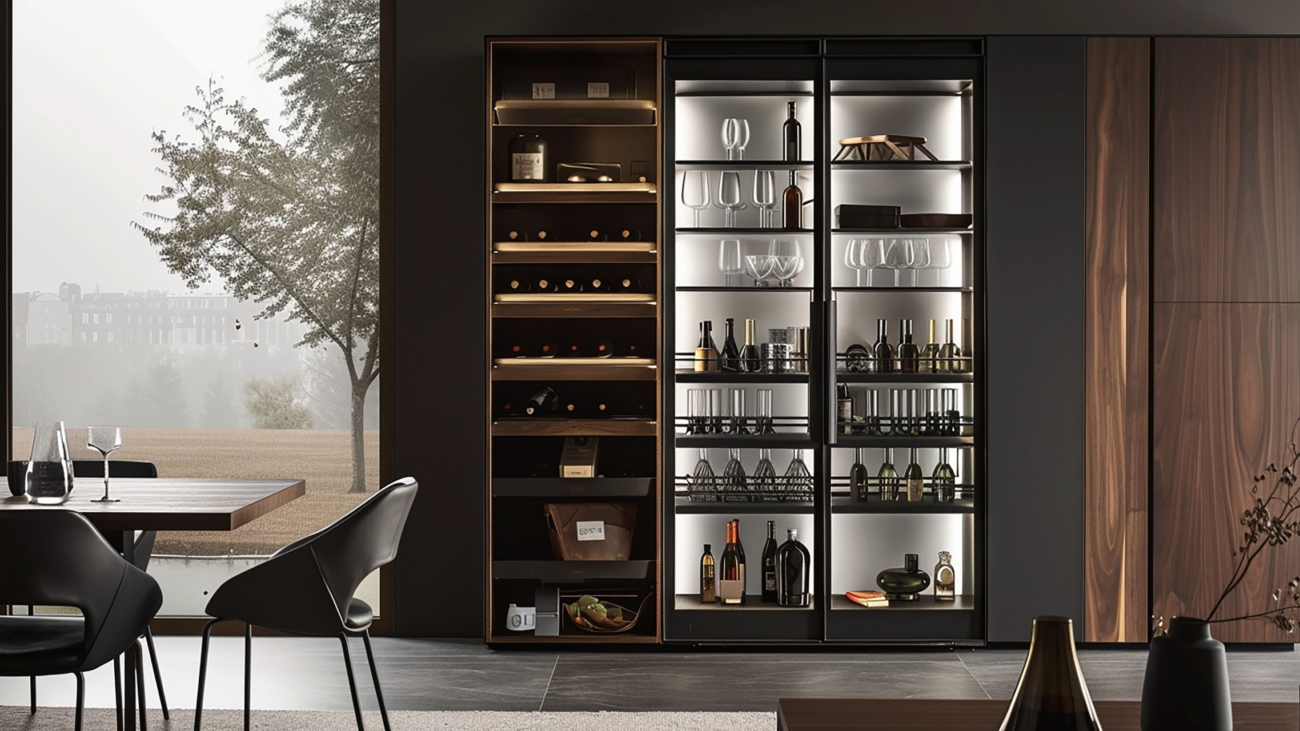
Is It Time to Go Smart? 5 Clues You’re Ready to Automate Your Life (And How to Begin)

If you’re reading this, chances are life feels like it’s running you instead of the other way around—emails piling up, chores never-ending, and a calendar that seems determined to double-book itself. You’re not alone. At some point, most of us wonder: isn’t there a smarter way to manage the day-to-day? That’s where automation comes in.

And no, automation isn’t just for tech gurus or busy executives. It’s for parents, professionals, and anyone who wants to spend less time managing life and more time living it. In my book Life by Design, I show how ordinary people are using simple systems and tools to reclaim their time, focus on what matters, and still get everything done.

So how do you know it’s time to start automating? Here are five unmistakable signs—and how to get started without needing a degree in computer science.

1. You’re stuck in repetitive loops

Paying the same bills every month, sending the same emails, or checking the same websites every morning? That’s a red flag. You’re spending precious mental energy on things that could run automatically.

Start small: pick one weekly task—like sending meeting reminders or reviewing your to-do list—and automate it. Even simple recurring tasks in a calendar or to-do app save minutes every day, and minutes add up fast.

2. Your memory is overloaded

We all forget things sometimes. But if sticky notes, reminders, and mental checklists aren’t cutting it, it’s time to let automation carry the load. Life isn’t about juggling everything in your head—it’s about designing systems that support you.

Use smart reminders, automated checklists, or AI-powered tools like Notion AI or Google Keep with Assistant. These act as your “second brain,” helping you follow up on projects, send emails, or even wish friends happy birthday—without stressing your memory.

3. You feel busy but not productive

Rushing from task to task without making progress on your real goals? Automation can clear the clutter.

Check your calendar for reactive blocks—moments when you’re responding instead of creating. Automate scheduling with tools like TidyCal or Calendly, filter emails automatically, and consider smart home routines that start your coffee, adjust lighting, or give you the news—freeing mental bandwidth for what really matters.

4. You’re drained by small decisions

Every tiny choice—from what to eat to which email to answer first—uses up mental energy. Automation reduces decision fatigue and frees your brain for bigger priorities.

Begin with low-stakes decisions: schedule grocery deliveries, plan weekly meals, use a robot vacuum, or let smart home routines manage lights and temperature. The fewer small decisions you make, the more energy you have for creative or strategic work.

5. You’re frustrated by inefficiency

That little voice in your head nudging you, saying, “There’s got to be a better way”? Listen to it. Frustration is often a sign you’re ready to automate.

Start by asking: “What small part of this could I automate?” Focus on one system at a time—calendar, email, smart home—then expand. Automation isn’t about turning life into a robot; it’s about creating space to do what you love.

Beginner-Friendly Tools to Get Started

  • To-do/task management: Todoist, TickTick, Microsoft To Do
  • Scheduling: TidyCal, Calendly
  • Email cleanup: Gmail filters, Unroll.me
  • Smart home automation: Alexa, Google Home, Home Assistant
  • AI assistance: ChatGPT for emails, social media, or research

You don’t need to be a tech expert—just willing to experiment. Start small, gain confidence, and soon you’ll notice more space in your life—not by working harder, but by working smarter.

For a deeper dive, Life by Design is packed with practical tools, real-world examples, and step-by-step guides to help you automate daily life and live intentionally. Available in audiobook, paperback, hardcover, and e-book formats.

KAIWEETS KT301P Circuit Breaker Finder: Speedy, Reliable, and Incredibly Useful

If you’ve ever spent time flipping breakers to figure out which one controls an outlet or light, you know how frustrating it can be—especially when panels are mislabeled or unclear. The KAIWEETS KT301P Circuit Breaker Finder takes that guesswork out of the equation, making the process fast, accurate, and safe. This tool joins the lineup of KAIWEETS devices I trust, alongside their HT118E multimeter and several other gadgets that are now staples in my smart home toolkit.

Editor’s Note: I received this item for free in exchange for an honest review. That does not influence my opinion; I always provide a truthful assessment.

This page contains affiliate links. If you purchase through one, I may earn a small commission at no cost to you. Affiliates do not affect my recommendations—see my disclosures for details.

KAIWEETS KT301P Circuit Breaker Finder — Quick Specs

All-in-One Diagnostic Tool: Locate breakers, test outlet wiring, and check GFCI protection—all with a single compact device. Combines a circuit breaker finder, outlet tester, and GFCI tester for reliable troubleshooting at home or in commercial settings.

What’s in the Box:

  • Transmitter (plugs into the outlet or socket)
  • Receiver (handheld wand to detect the correct breaker)
  • Light socket adapter
  • 3-prong to 2-prong adapter
  • Alligator clip adapter
  • 4 × AAA batteries (1.5V)
  • Sturdy carrying case with handle
  • User manual

Everything feels solid and well-built, with an intuitive design that even novice DIYers can use with confidence.

Voltage Range: 90–120V AC
Indicators: Visual and audible feedback
Functions: Circuit breaker tracing, socket testing, wiring check
Certifications: CE, FCC

How It Works

Using a circuit breaker finder is one of those things you don’t realize you need until you have one. Whether you’re installing a smart light switch, adding a new outlet, or setting up a home automation hub, knowing which breaker powers a circuit is critical.

The KT301P makes it simple: plug the transmitter into the outlet you want to trace, then slowly scan your breaker panel with the receiver. When it detects the correct circuit, it beeps and lights up on the display. No more trial and error—just quick, safe, and reliable results.

As a bonus, the KT301P includes an integrated socket tester, so you can check wiring issues or open grounds while you’re at it—a handy feature for anyone upgrading a smart home or performing routine maintenance.

Easy to Use

While the manual doesn’t mention where to install the batteries, this is a minor hiccup. Both the transmitter and receiver have small battery compartments accessible with a Phillips screwdriver. Once installed, the device works flawlessly.

The receiver filters out noise from neighboring breakers, reducing false positives—a common problem with cheaper models. For best results, the manual recommends a two-step scanning process: scan every breaker once, then go through again to identify the correct circuit.

Extra Features That Matter

  • NCV (Non-Contact Voltage) Mode: Quickly detect live wires.
  • Built-in Flashlight: Illuminates dark panels or tight spaces.
  • Voltage Measurement: Check outlet voltage (e.g., 119.3V in testing).
  • GFCI & Wiring Testing: Ensure outlets are safe and functional.

When You’ll Use It

  • Installing or replacing smart switches and outlets
  • Tracing circuits in older homes with unclear labeling
  • Checking wiring before adding smart dimmers or plugs
  • Confirming power is off before wiring a smart thermostat

In short, anytime you’re working with electrical circuits, this tool saves time and prevents mistakes.

Final Verdict

The KAIWEETS KT301P Circuit Breaker Finder is a reliable, well-built, and affordable addition to any DIYer’s toolkit. Accurate, easy to use, and packed with useful features, it’s ideal for smart home installations or general electrical work. My only minor gripe is the battery instructions in the manual—but that’s a small oversight in an otherwise excellent product.

KAIWEETS continues to deliver dependable tools, and the KT301P is no exception. It earns a permanent spot in my Smart Home Toolkit, and I highly recommend it to anyone who values precision, simplicity, and efficiency when working with circuits.